First, type chrome://flags into the URL bar and hit Enter:

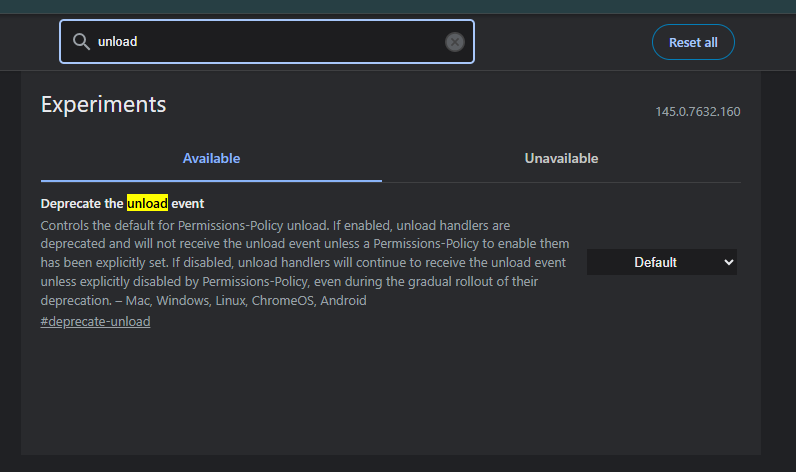
In the filter bar in the middle, type unload:
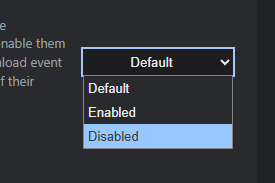
Change the setting from Default to Disabled:

Relaunch Chrome for the setting to take effect.
First, type chrome://flags into the URL bar and hit Enter:
In the filter bar in the middle, type unload:
Change the setting from Default to Disabled:
Relaunch Chrome for the setting to take effect.